GroLayer

GroLayer POS

The counter keeps working
when the internet stops.

Talk to sales
Counter 2 Shift open
ItemQty × priceAmount
Dolo 650, strip2 × ₹31.50₹63.00
Digene, 200 ml1 × ₹148.00₹148.00
Amoxil 500Rx required₹96.40
Savlon 100 ml1 × ₹62.00₹62.00
To pay
₹369.40Split
₹200 cash and ₹169.40 on UPI, settled on one invoice.
Radhika S.+37 pts
Points earned on this bill. Dues on account: nil.
Hold this bill
Printed Receipt · INV-2261
Thermal Drawer open
OfflineBills when the line drops
Multi-storeCounters, stores, terminals
2 channelsShopify and WooCommerce
Full booksTo trial balance and P&L
1 screenBarcode in, receipt out

Everything named here is shown working on the demo call, on your own products.

Built for businesses that sell every day

A counter in a pharmacy and a counter in a wholesale godown are not the same job. These are the trades the system is set up for on day one, and the two we are still building.

Shelves of medicine boxes behind a pharmacy service counter

Pharmacy

Batch numbers and expiry dates on every strip, with the price that belongs to that batch.

A grocery aisle with crates of fresh produce and stocked shelves

Grocery

Weight, volume and piece in the same basket, and a queue that has to keep moving.
A warehouse aisle with loaded pallet racking on both sides

Wholesale & distribution

Quotations, credit customers, supplier dues and stock moving between godowns.

A clothing rail and folded stock on wooden shelves in a boutique

Retail

Size and colour under one product, so the shelf and the till agree on what is left.
A cafe counter with a display case and an espresso machine

Restaurant & café Coming soon

Held orders, table-side ordering and a kitchen that needs the ticket now.
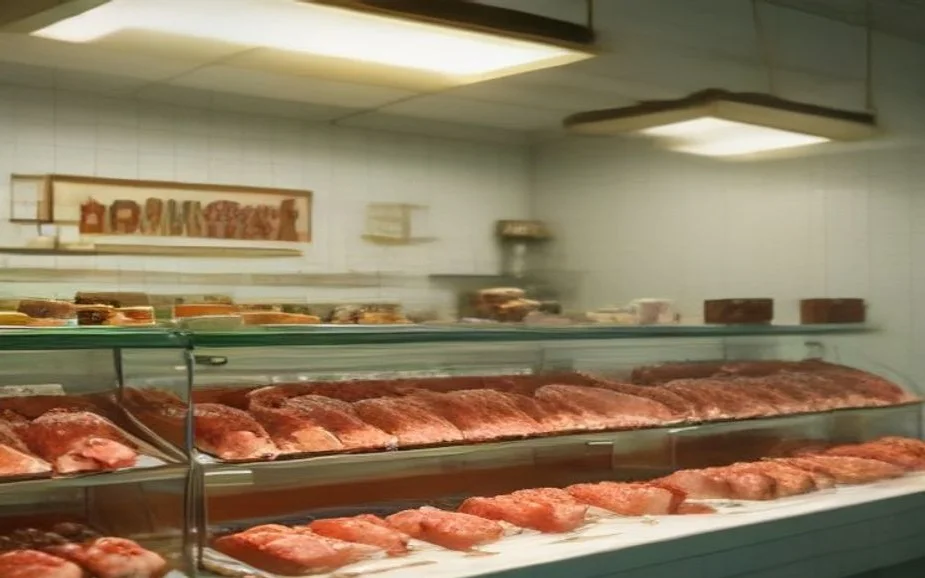
A butcher shop display case of fresh cuts against a tiled wall

Fresh food & butcher Coming soon

Cut-to-weight selling, short shelf life, and daily wastage that has to be recorded.

Five things that go wrong behind a till

Every one of these was a complaint from a shop floor before it was a screen. What follows each is the part of the system that deals with it, without anybody having to remember.

01 What happens today

“The internet drops and the shop stops selling.”

Offline POS

The till keeps working offline. Bills carry on being made, held in the terminal, and pushed up the moment the line returns. The sync log shows exactly what went, what failed and what is still waiting, so nothing is taken on trust.

Offline billing with smart synchronisation
02 What happens today

“The drawer never matches at closing time.”

Shifts

Every shift is opened, counted and closed on the record. Opening float, sales, refunds, discounts and the counted cash sit in one shift report, and a shortage cannot be closed without a reason against it.

Shift management and cash variance reasons
03 What happens today

“The website says in stock. The shelf says otherwise.”

One inventory

One stock figure, shared by the counter and the storefront. Shopify and WooCommerce sync both ways in real time, and a transfer between stores updates both ends rather than leaving a note for somebody.

Sales channels and stock transfers
04 What happens today

“A customer asks for a price list and it takes a day.”

Quotations

A quotation goes out in seconds. Build it at the counter, send it on WhatsApp or as a link, and when the customer accepts it becomes a sale without anybody keying it again.

Quotation, sent and converted
05 What happens today

“The books are done months later, by somebody else.”

Accounting

The ledger is written as the day happens. Every sale, purchase, payment and cash difference posts to the right account through mappings you set once, and the trial balance, profit and loss and balance sheet are there when you want them.

Accounting, posted as you trade
At the counter

One screen between the barcode and the receipt

The till is the part your staff touch a thousand times a day, so it is the part that has to be boring and fast. Scan, adjust, discount, split the payment, print. Nothing buried two menus down.

Grid layout Scan or tap
Fast keys
Dolo 650₹31.50
Digene₹148.00
Savlon₹62.00
Crocin₹28.00
Bill actions
Hold Order note Line discount Bill discount Quantity Calculator Reprint
Payment
Cash₹200.00
UPI · scanned₹169.40
Card₹0.00
Two ways to scan
Barcode scannerConnected
Device cameraNo hardware
Bill held Counter 2 · 3 items
Parked Resume later
Part cash and part UPI, settled on one invoice, printed before the customer turns around
Fast touchscreen billingBuilt for a finger on a screen with a queue behind it, not a mouse.
Flexible POS layoutsGrid, list or a compact ticket. Arrange the till the way your counter actually works.
Barcode scannerAny USB or Bluetooth scanner. Scan, and the line is on the bill.
Camera scannerNo scanner on the counter? The device camera reads the barcode instead.
Hold ordersPark an unfinished bill, serve the next customer, pick it up again. Nothing is lost.
Order-level discountsA flat or percentage discount on the whole bill, or a line at a time.
Order notesA line of context that stays with the sale and prints on the receipt.
Adjust quantitiesChange, split or remove a line without cancelling the whole bill.
Custom payment methodsCash, card, UPI, wallet, or a method you name yourself.
Multi-payment on one billPart cash and part card, settled on a single invoice.
Inbuilt POS calculatorOn the till screen, so nobody reaches for a phone mid-sale.
Receipt printingThermal or A4, printed the moment the payment lands.

It does not need the internet to take money

Most cloud tills stop when the line does. This one carries on billing locally, queues what it made, and pushes it up when the connection returns — then shows you exactly what went across.

Connection lost Offline
BillingCarries on, locally
Running
Sales waiting to syncHeld on this terminal
14
Stock figuresLast known, updated on reconnect
09:41
Card terminalNeeds the line. Cash and UPI still work.
Down
Sync log
23 records sentSuccessful
Sales, payments and stock movements, pushed the moment the line came back.
1 conflictNeeds a decision
The same product was edited in two places. You choose which version wins.
Retry failed records
Back online 10:06 · queue cleared
24 synced 0 lost
Nothing is taken on trust: every record is listed as sent, failed or in conflict
Shifts and the drawer

A shortage cannot be closed without a reason

A cashier opens with a counted float and closes with a counted drawer. The system already knows what it should be. If the two disagree, the difference is recorded against a reason you defined, not quietly absorbed.

Shift #25 · closing Variance
LineCountedSystem
Opening floatCounted₹500.00
Sales33 bills₹1,240.00
Refunds2₹30.00
Cash in drawer−₹20.00₹2,430.00
Variance reasons
Change disputeSelected
Your own list: miscount, theft suspected, change dispute, unaccounted pay-out, other.
Shift reportGenerated
Opened, closed, sold, refunded, discounted, taxed and counted — per cashier, per terminal.
Confirm reason and close
Closed with variance Admin · 12:40
−₹20.00 On record
Open shift, sell, close shift, shift report — and terminal management shows which till made which sale
Quotation

From a price list to a sale, without keying it twice

Wholesale and distribution customers ask for a quote before they buy. Build it at the counter, send it on WhatsApp or as a link, and when they accept it becomes an invoice with the same lines and the same prices.

QT-0032 · Alpha Traders Accepted
StageChannelWhen
Quotation generatedCounter20 Jun
Sent to customerWhatsApp20 Jun
Opened by customerLink21 Jun
AcceptedCustomer21 Jun
Converted to saleINV-008721 Jun
The document
₹1,364.0012 items
Subtotal ₹1,240.00 and tax ₹124.00, valid until 27 June.
Accept or declineOn their phone
The customer answers from the link. A decline is recorded too, with the reason if they give one.
Convert to sale
Sale created INV-0087 · ₹1,364.00
No re-entry Same lines
Invoices, quotations and order updates all go out on WhatsApp from the same screen

A catalogue that can describe what you actually sell

A strip of tablets with a batch and an expiry, a kurta in five colours and four sizes, and a gift hamper made of six other products are three different things. All three have to be one product with the right structure underneath, or the stock count is fiction.

Amoxil 500 · batches Batch-wise price
BatchExpiryQty
AMX-2411Mar 2027180
AMX-2408Nov 202664
AMX-2403Jul 202612
AMX-2312Sold out0
Label sheet
24 per sheet · 63.5 × 33.9 mm60
Roll · thermal1 up
Product name SKU Price Barcode
Product types
Simple, variant, combineAll three
One SKU, a size-and-colour matrix, or a bundle assembled from other products.
The batch bought at a different price keeps that price, instead of being averaged away
Simple, variant and combine productsOne SKU, a size-and-colour matrix, or a bundle made of other products.
Categories and subcategoriesNested as deep as the range needs, with tax rules attached.
BrandsGrouped, searchable and reportable.
UnitsPiece, kilogram, gram, litre, millilitre, metre, with conversion factors.
Print barcode labelsPrice tags and barcode sheets, 24 to a page, with name, SKU, price and code.
Bulk uploadsAn existing range comes in from a file rather than being typed in.
Tax managementTax classes on categories and products, applied at the till.
Low stock alertsSet per product, raised before the shelf is empty.

Stock that stays true across every store

The count only means something if every movement is recorded: what was sold, what came in, what went back, what moved between shops, and what was written off. All five are, and each one leaves a trail with a reason on it.

Available stock All stores
ProductOn handReorder
Dolo 650, strip412100
Digene, 200 ml640
Savlon, 100 ml8825
Crocin Advance1830
Movement today
Transfer outAndheri → Bandra
40 strips. Both stores updated, transfer kept on record.
AdjustmentExpired
12 units written off against a reason from your own list.
Start a cycle count
Low stock Digene · 6 left, reorder 40
Below point Alert sent
Sales, purchases, returns, transfers and adjustments, all in one chronological audit trail
Available stockQuantity on hand, reserved and reorder point, for every store on one screen.
Low stock monitoringReal-time alerts, ordered by what will run out first.
Batches and expiryBatch numbers, manufacturing and expiry dates, and the quantity in each batch.
Batch-wise priceThe same product bought at two prices keeps both, and sells at the right one.
Stock adjustmentsCounts, damages, expiries, losses and opening balances, each posted to inventory.
Stock reconciliationCycle counts and full physical audits, store by store.
Stock activityEvery movement, in order: sales, purchases, returns, transfers, adjustments.
Stock transfersMove stock between stores with both ends updated and the transfer kept on record.
Adjustment reasonsYour own list of reasons, so an adjustment can never be unexplained.

The buying side, kept on the same record

Stock does not appear on the shelf by itself. Purchase orders, receipts, supplier dues, payments and returns all sit against the supplier they belong to, and every one of them moves inventory and the ledger at the same time.

SuppliersContacts, payment terms, outstanding balance and the whole buying history in one directory.
PurchasesRaise a purchase order, receive against it, and watch stock and dues update together.
Supplier paymentsRecord what you paid, by which method, against which invoice.
Purchase returnsSend stock back with the money and the inventory both corrected.

The customer side of the counter

Who is buying, what they still owe, what they have earned, and what they can see while you ring it up. The display and the kiosk are the two screens that face outward.

Radhika S. Loyalty
Points balanceEarned across 31 visits
1,240
Redeemable on this billYour own limit: up to 20% of the total
₹73
Outstanding duesShown before the bill is closed
Nil
Last purchaseSame items, 18 days ago
Repeat
Customer display Live
What they see
Dolo 650 ×2₹63.00
Digene 200 ml₹148.00
Savlon 100 ml₹62.00
Points earned+37
Total ₹369.40
Self-ordering kiosk A tablet the customer uses
Own cart No queue
Line, total and payment status on a second screen, so nobody has to be told what they are paying for
Customer managementAttach a customer to a bill, see their history and what they still owe, mid-sale.
Bulk import customersBring an existing list in at once instead of typing it at the counter.
Loyalty pointsPoints earned on every purchase and redeemed against a bill, with your own redemption limits.
Customer displayA second screen facing the customer showing each line, the running total and the payment.
Self-ordering kioskA tablet the customer uses themselves to browse, build a cart and place the order.
Aged receivablesWho owes what, and for how long, in ageing buckets.
Accounting

The books are written as the day happens

Not exported to somebody else at the end of the quarter. Every sale, purchase, payment, discount and cash difference posts to a real double-entry ledger through mappings you set once.

Profit and loss Apr 2026
Total income₹8,64,200
Cost of goods₹5,71,340
Gross profit₹2,92,860
Net profit₹1,84,120
This month
1 APR15 APR30 APR
Chart of accounts
Assets5 groups
Cash in hand, bank accounts, receivables, inventory, fixed assets.
Liabilities and equity9 groups
Payables, supplier advances, loans, owner’s capital, drawings, retained earnings.
Business mapping
Sale to customer4010 Sales
Purchase from supplier1030 Inventory
Tax collected2020 Tax payable
Trial balance and balance sheet come off the same ledger, and fiscal periods lock month by month
Journal and day bookEvery entry in one chronological place, automatic and manual alike.
Chart of accountsAssets, liabilities, equity and income, each with its own ledger accounts.
Business mappingPoint each activity at a ledger account once, and every later transaction follows it.
Fiscal periodsMonthly periods you can lock, and a year you can close with confidence.
Opening balancesCash, bank, inventory, customer and supplier dues carried in from your old system.
Profit and lossWhat the business earned, what it spent, and what is left.
Trial balanceEvery account balance at a glance, debits and credits matched.
Balance sheetWhat the business owns and owes, assets against liabilities and equity.

Reports you would actually open

Filtered by period and by store, saved as a view you can come back to, and exportable when somebody outside the business asks for them.

Sales summaryRevenue, transactions, average ticket, discounts, taxes, refunds and payment mix.
Sales by productVolume, revenue, cost, profit and margin, so the best sellers are obvious.
Aged receivablesOutstanding customer balances by ageing period.
Sync logEvery synchronisation attempt: successful, failed or in conflict.
Shift reportsOpened, closed, sold, refunded and counted, per cashier and per terminal.
Stock reportsValuation, movement and activity across every store.

What it connects to

The counter is rarely the only place you sell, and it is never the only device on the table. These are the things it plugs into without a middleman service in between.

Shopify integrationProducts, orders, customers and inventory synced both ways in real time.
WooCommerce integrationThe same two-way sync for a WooCommerce storefront.
WhatsApp integrationSend invoices, quotations and updates to the customer from the till.
Multi-store supportOne catalogue, many stores, each with its own stock and its own counters.
Terminal managementRegister every till, and see which one made which sale.
Hardware supportBarcode scanners, thermal printers, cash drawers and customer displays.
Multilanguage supportThe interface in the language your staff actually use.
System configurationTax behaviour, receipt content, rounding, permissions and defaults.
Nothing held back

Everything that ships, in one list

This is the whole product, not a starter tier with the useful parts behind an upgrade. There is no plan above this one to sell you.

The full menu

60 features, on day one
Smart POS Offline and online POS Shopify integration WooCommerce integration WhatsApp integration Customer display Self-ordering kiosk Batch-wise price Custom payment methods Quotation Bulk uploads Flexible POS layouts Multi-store support Inventory management Shift management Accounting Product management Supplier management Purchase and purchase return Hardware support Customer management Customer loyalty points Tax management System configuration Hold orders Fast touchscreen billing Camera scanner Barcode scanner Order-level discounts Order notes Adjust quantities Receipt printing Multilanguage support Low stock alerts Categories management Brands management Units management Reports and analytics Terminal management Inbuilt POS calculator Stock transfers Stock reconciliation Stock adjustments Batches and expiry Adjustment reasons Cash variance reasons Aged receivables Sync log Profit and loss Trial balance Balance sheet Chart of accounts Journal and day book Business mapping Fiscal periods Opening balances Print barcode labels Supplier payments Bulk import customers Multi-payment on one bill
Getting a number

Quoted on how you actually trade.

One counter in one shop and twelve counters across four stores are not the same setup, so we do not pretend they cost the same. Tell us how you sell and you get a written quote for your business.

Talk to sales

Half an hour. We open a live till, run your own products through it, connect a scanner if you bring one, and send the quote afterwards in writing. One thing is fixed either way: we take no commission on your sales.

WhatsApp us
  • How many counters and storesThe single biggest factor. One till behaves very differently from twelve across four locations.
  • What you sellBatches and expiry, weight-based selling, or size and colour variants each change the setup.
  • What state your product data is inA clean file imports in an afternoon. A shelf and a memory takes longer, and we will say so.
  • HardwareWhether you already have scanners, printers, drawers and displays, or want us to supply them.
  • Whether you also sell onlineShopify or WooCommerce connected, or a storefront still to be built.

What the quote covers

  • Set up once: stores, counters, tax rules and your catalogue imported rather than typed
  • Every feature in the list above, with no per-module licence
  • Hardware connected and tested on your counter
  • Then run: hosting, maintenance, updates and support for your staff
  • Training for the cashiers who will actually use it
  • No commission. A busy month and a quiet month cost the same

What sits outside it

  • Hardware you buy yourself, and its warranty
  • Your payment gateway’s own transaction charges
  • Internet and network at the shop
  • Your accountant’s fees and statutory filing
  • Product photography and catalogue copywriting

How it starts

Four steps, in this order. Your part is to hand over the product data and to stand at the counter once before the first shift opens.

1

Counter walk-through

We watch how your counter runs today: what is scanned, what is weighed, what is written on paper.

2

Setup and catalogue

Stores, terminals, tax rules and your product list, imported rather than typed.

3

Hardware and channels

Scanners, printers and drawers connected, and Shopify or WooCommerce linked if you sell online.

4

Staff training and go live

Your cashiers are trained on the screen they will actually use, then the first shift opens.

Questions we are usually asked

Straight answers, including the ones about money and the ones about what happens when something breaks.

What happens when the internet goes down mid-sale?
Nothing stops. The terminal keeps billing offline, holds the sales locally, and pushes them up when the connection returns. The sync log then shows every record that went across, along with anything that failed or conflicted, so you can see the state rather than assume it.
Can it run more than one shop?
Yes. One catalogue sits above many stores, each with its own stock, its own counters and its own staff. Stock moves between them as a recorded transfer, and every report can be read for one store or all of them.
Does it work with our existing scanner and printer?
Almost certainly. It supports standard USB and Bluetooth barcode scanners, thermal and A4 receipt printers, cash drawers and customer displays. Bring the hardware to the demo and we will connect it in front of you.
We sell medicines. Does it handle batches and expiry?
Yes, and it is one of the reasons pharmacies use it. Products carry batch numbers, manufacturing and expiry dates and the quantity in each batch, and a batch bought at a different price keeps its own price rather than being averaged away.
Can it sell online as well?
It syncs both ways with Shopify and WooCommerce, so products, orders, customers and inventory stay the same on the counter and on the website. If you do not have a storefront yet, GroLayer Commerce is the other half of this.
How does the cash drawer get reconciled?
Through shifts. A cashier opens with a counted float, sells, and closes with a counted drawer. The system compares it to what it expected, and if there is a difference the cashier has to pick a reason from a list you define before the shift can close.
Does it do our accounting, or do we still need a separate book?
It keeps a real double-entry ledger. Sales, purchases, payments, discounts and cash differences post automatically to accounts you map once, and you get a journal, trial balance, profit and loss and balance sheet from the same data. Most businesses stop keeping a second book.
Can we send price lists to customers?
Yes, as quotations. Build one at the counter, send it over WhatsApp or as a link, and the customer can accept or decline from their phone. An accepted quotation converts into a sale without being re-entered.
How many staff can use it?
As many as you need, each with their own login, their own permissions and their own shift record. Terminal management shows which till made which sale.
Can we start with one counter and grow?
That is the usual path. One terminal in one shop, then more counters, then more stores. Nothing has to be rebuilt, and no feature is held back for a bigger plan.
What does it cost?
It is quoted per business, because a single counter and a twelve-store chain are not the same setup. The shape is always the same: a one time cost to set it up, then a monthly amount to run and maintain it. Tell us how you trade and we put a number in writing after the call.
What actually changes the quote?
Mostly the number of stores and counters, how ready your product data is, whether you need online channels connected, and any hardware you want us to supply. Nothing is priced per feature.

Come and stand at the till for half an hour.

We will open a live counter, run your own products through it, connect a scanner if you bring one, and close a shift in front of you. You decide afterwards.

WhatsApp us
Or call us directly +91 86523 44678